Wednesday, July 28, 2010


Thursday, February 25, 2010
Introducing Gravity!
So what's gravity? Here's an explanation from Alan who works at Gravity.
"Several years ago, people used to ask why social networks are different - especially when email, IM, and address books provided the tools needed to connect you with the people you knew. Today, we all understand the value a networked social experience can unlock. In the future, I hope we'll all see the value a networked interest-centric experience will unlock as well. We hope Gravity will become the place you visit to talk about the things you care about, a place where what you know and what you're interested in is more important than who you know."
So I've been using gravity for two days now. It's a new innovative way of social networking. Ans So far, I'm loving it. I might have some reply's left, so if you'd like to join, please tell me why I should invite you in the comments section of this post.
Tuesday, January 19, 2010
Interactive Documentary - Future plans

However, we are not aware of that due to the way we are sucked into our own culture. Only by actually talking to people, living in another culture, experiencing it or seeing this technology being used, you can look sideways and actually see what brilliant use of technology is happening in the world.
You sometimes can't believe what brilliant ideas in other cultures can help your way of communicating or doing business in your own culture. I always think that sharing these ideas can be very useful in letting other people know what is actually going on in the world. And it would allow to basically make a map of the world in which technology's are popping up and what is happening with them.
I want to set up a group of people, a community, digital storytellers, a reporter group if you like, with which we can make a video documentary. (one to start with :D )
I'd like to have brainstorms with you so we can come up with questions we can ask promising people active in our culture, and comparing these people with each other in this video montage. (Don't worry, we will use social media to make this video I know some tricks :) )
I thought that it might be hard to keep standards such as video formats, but don't let you get down by that. I'm far more interested in the content. We will find ways to show the information. And maybe have a worldwide documentary release one day. :)
We also have a language problem. However this barrier can be solved by tools like babelgum or google translate. The words and grammar isn't as important as the message we'd like to share. I do think it would be handy if we all understand English. But even if you don't, you might have translated this message...
I've had a similar project started with Erick Alejandro living in Guetemala which I see as a great friend thanks to Internet. This project hasn't continued due to lack of experience in managing the project. A loss for it had a great potential! I'd like to step up and manage this Global community of storytellers concerning the use of proper social media.
Please feel free to share this message with others, maybe your brother/sister/son/daughter/friend can be one of these young personalities and make this documentary a success. I don't have insights in every culture, and I'm eager to learn how this works.
Please let me know if you'd like to participate in any way. I'm thinking about building a Wordpress site where we can have online discussions concerning this project.
Think about it, it would be the first documentary made by different people who've never even met...
Let's make something beautiful!
Wednesday, January 13, 2010
Video - Google Nexus One Vs. iPhone 3GS
This video has certainly cleared my mind. Though I'm a mac user, I'm also a Google user (who isn't? ;) ). I do find the google docs, gmail, calendar features etc. working better on Google than with Apple. I do wonder how content playback (photos, video and music) is working on the Nexus. Will it also sync with Itunes magically? But well, for those things I always will have my Ipod Touch.
Tuesday, January 12, 2010
What is VEVO?!


So what the hell is it? " On their website
What is VEVO?
VEVO is a new music video network on the web. VEVO videos can be found at VEVO.com and at the VEVO Channel on YouTube as well as in thousands of VEVO/YouTube artist channels. VEVO videos are available via Search at YouTube as well.example of one of these pages: http://www.youtube.com/user/KevinRudolfVEVO and
http://www.youtube.com/user/vevo
This is what I found on the About page:
VEVO is the leading innovative online premium music and entertainment service for consumers, advertisers and content owners that blends the very best in musical content with cutting-edge video technology and a thriving user community powered by YouTube. The content is made available on YouTube through a VEVO-branded channel, on VEVO.com, the service's marquee destination site, and through a VEVO-branded embedded player. The service also serves as a syndication platform for additional internet destination sites, expanding the reach of the VEVO brand across the worldwide Web.
VEVO was created in partnership by Universal Music Group (UMG), Sony Music Entertainment (SME) and the Abu Dhabi Media Company. It is operated independently by a dedicated management team with offices in Los Angeles and New York. VEVO features the most extensive catalog of premium music content found anywhere on the web thanks to deals with such leading music companies as Universal Music Group, Sony Music Entertainment, EMI Music, Hollywood Records, Walt Disney Records, CBS Interactive Music Group, Big Machine Records, Concord Music Group, Lyric Street Records, ABKCO, Caroline Distribution, Fontana Distribution, INgrooves, IODA, RED and The Orchard, among many others.
Here are some questions found on the F.A.Q. page:
Why do some videos give me a "Sorry, this video is not available in your region" error?
Not all videos can be viewed globally. Videos unavailable now should be available in the near future. VEVO is actively pursuing the ability to display all of its videos in all countries.Can I sign up/register and become a member of VEVO?
VEVO Sign Up is simple and fast. Registering with VEVO will allow you to post comments, favorite videos, artists, and playlists, and create and save your own personalized music video playlists. To register click on the Sign Up link on the upper right hand corner of the page. If you are a member of YouTube, Google, Twitter, Yahoo, or Facebook, you can even use your existing accounts to make sign up even easier.
Where do videos play at VEVO?
Videos play in the VEVO Player. Instead of navigating to a VEVO Player directly, you get there by selecting a specific video or playlist that you want to see. Once you hit Play or Play All at VEVO, you are taken to the VEVO Player where you can enjoy your favorite video.What is the VEVO Player?
The VEVO Player at VEVO.com is a high-quality, state-of-the-art Video Player that includes exclusive, one-of-a-kind synchronized lyric playback with many of its videos. Enjoy getting to know the VEVO brand and singing along or rapping with your favorite artists!All this seems pretty cool , the website certainly looks clean. I wonder when there will be a dutch version. #probablynever
Cheers,
Friday, December 11, 2009
Hyperwords - Brilliant Browser Add on
I heard about this plugin through the twitter channel of Le Web 09. I think It's a brilliant plugin. " Hyperwords is a system for Servers and Browsers (Mozilla Firefox {Version 5.6.5 & 6.0 Beta} & Google Chrome) which lets you select any words on the web for useful options."
Checkout the demo below.
Note! It doesn't work on Safari and Chrome on the Mac yet. It will work on Chrome (developer preview) for Mac some time next week, when Google updates Mac Chrome to make it possible.
Checkout the demo below.
Note! It doesn't work on Safari and Chrome on the Mac yet. It will work on Chrome (developer preview) for Mac some time next week, when Google updates Mac Chrome to make it possible.
Tuesday, December 08, 2009
Gmail tip - "still need to reply inbox"
So you also get around 150 e-mails a day (or not ;). An inbox never is that clear. I mean I get automatically generated e-mails like Newsletters, personal e-mail, business e-mails etc. You read your e-mail and you think I need to reply this one. However at that moment you might not have time to reply directly. So you either send an e-mail saying: I will reply later, or you don't and you might forget.
I had that problem and have found a way to highlight all my e-mails which I still need to reply. A function which is very useful for me. And you might have fun from it as well..
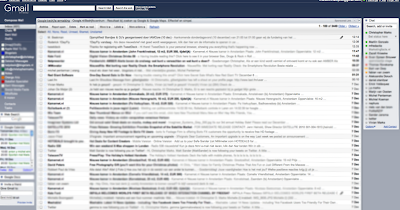
You might recognize this screen it's the normal gmail interface where you see your Inbox and all the other gadgets which you installed on your Gmail. Go to the green Icon on the right top side of the Gmail interface.

Here you can find a list for all the Gmail extra's which you can install on to your gmail. Please have a look around. Some of them are quite useful! For now look for the "Multiple Inboxes" and enable this option. Save your configurations and go back to your inbox.

Here you see your new inbox. What this option does is it enables multiple inboxes on your home interface. My normal inbox is the bottom one. Here all my new e-mail comes in as normal. Now, when I see an e-mail which I really need to read or need to reply I highlight it by giving it a star. What happens is that this e-mails moves to the top inbox. Now every time I open my e-mail I see my "still need to reply" e-mail. My new e-mails and my drafts.
It works perfectly for me. Since I use this function from Google Labs. I "hardly" miss an e-mail which I need to reply.
It might just work for you to.
cheers.
I had that problem and have found a way to highlight all my e-mails which I still need to reply. A function which is very useful for me. And you might have fun from it as well..

You might recognize this screen it's the normal gmail interface where you see your Inbox and all the other gadgets which you installed on your Gmail. Go to the green Icon on the right top side of the Gmail interface.

Here you can find a list for all the Gmail extra's which you can install on to your gmail. Please have a look around. Some of them are quite useful! For now look for the "Multiple Inboxes" and enable this option. Save your configurations and go back to your inbox.

It works perfectly for me. Since I use this function from Google Labs. I "hardly" miss an e-mail which I need to reply.
It might just work for you to.
cheers.
Wednesday, November 25, 2009
Companies sell stuff, people buy stuff
Came across this Presentation. Thought I'd share this with you guys :).
Companies sell stuff, people buy stuff
View more documents from Helge Tennø.
Tuesday, November 24, 2009
Bad relationship with Vodafone
Well I have a bag of frustration for you guys. It's crazy how a company that big, can make such a stupid mistakes.
Okay, I'm not sure how this works in other countries where Vodafone does business. But I'll tell you my experience at the moment with Vodafone.
My Nokia N95 8GB died. I used it a lot, and for some reason it doesn't boot up again. It still has guarantee so I thought I would just get it fixed at Vodafone... Let the adventure begin.
So I went to the Vodafone store in Bussum and asked if I could fix my phone. The lady said I should have a receipt which came with the phone 1,5 years ago when they delivered it at my house. Well, I don't have that piece of paper, however I did have a vodafone generated e-mail with all my details on it.
So you would think if I can identify myself, it would be okay. Well that was to good to be true. The lady told me I need a piece of paper which I can order by calling the customerservice. A few hours later I called them. However because I don't have a working vodafone number and I called with my land-line I couldn't reach the customer service. Brilliant!
I rang another Vodafone service number and the computer lady on the phone told me to check the website.
So there I go, wondering if I could tweet/chat/facebook or whatever with some vodafone employees. Instead I could log in and sent an e-mail. Luckily, I forgot my password. And if I want to get a new password I can have it texted to my phone. Because my phone is broken. I can't login.
I haven't been the most neat person with my receipts, passwords and stuff. But if I think of it.. Is that really my problem? I mean, since I never go to that "my vodafone" page. I just forgot about it. And indeed; you can lose a receipt right?
I'm now paying a bill every month for a crappy service, a vodafonestore employee who's telling me I'm stupid and phone which isn't working.
I definitely know one thing... When I'm finished with my second 2 year contract... I'm out!
Update: I finally got to login in my vodafone account and managed to find out that the employee in the was wrong. I don't need my receipt as I have a Nokia...
Really... what do I have to do, to "please" use the Vodafone services?


Okay, I'm not sure how this works in other countries where Vodafone does business. But I'll tell you my experience at the moment with Vodafone.
My Nokia N95 8GB died. I used it a lot, and for some reason it doesn't boot up again. It still has guarantee so I thought I would just get it fixed at Vodafone... Let the adventure begin.
So I went to the Vodafone store in Bussum and asked if I could fix my phone. The lady said I should have a receipt which came with the phone 1,5 years ago when they delivered it at my house. Well, I don't have that piece of paper, however I did have a vodafone generated e-mail with all my details on it.
- My order
- My details
- Customer number
- phone number
- etc.
So you would think if I can identify myself, it would be okay. Well that was to good to be true. The lady told me I need a piece of paper which I can order by calling the customerservice. A few hours later I called them. However because I don't have a working vodafone number and I called with my land-line I couldn't reach the customer service. Brilliant!
I rang another Vodafone service number and the computer lady on the phone told me to check the website.
So there I go, wondering if I could tweet/chat/facebook or whatever with some vodafone employees. Instead I could log in and sent an e-mail. Luckily, I forgot my password. And if I want to get a new password I can have it texted to my phone. Because my phone is broken. I can't login.
I haven't been the most neat person with my receipts, passwords and stuff. But if I think of it.. Is that really my problem? I mean, since I never go to that "my vodafone" page. I just forgot about it. And indeed; you can lose a receipt right?
I'm now paying a bill every month for a crappy service, a vodafonestore employee who's telling me I'm stupid and phone which isn't working.
I definitely know one thing... When I'm finished with my second 2 year contract... I'm out!
Update: I finally got to login in my vodafone account and managed to find out that the employee in the was wrong. I don't need my receipt as I have a Nokia...
Really... what do I have to do, to "please" use the Vodafone services?

Monday, November 23, 2009
Social Media presentation
It's already a bit outdated, and however I don't agree with every slide of this presentation. It does contain a lot of exercises which I find pretty good for starting bloggers.
Social Media for nonprofits: Overview
View more presentations from guestf1e806.
Friday, November 20, 2009
Zemanta
As I mentioned earlier on Twitter I've been using Zemanta for a couple of days now. As I accidentally invited everybody I ever have sent an e-mail to my Linked-In profile. I got a message from Andraž Tori I remember meeting him on Blog 08 last year in Amsterdam. However, I never seem to stayed in touch with him. I just want to share Zemanta with you guys. It's a nice browser plugin which saved me some time for the moment.

See what Zemanta does in 60 Seconds.
I haven't been using Zemanta on every blogging platform I use. I manage blogs on Wordpress, Tumblr, Squarspace and Blogger and only tested it for Blogger. This does works perfectly though. I really enjoy the label (tag) generator and the way you can just search for relevant pictures and chuck them in your text.
Give it a try and see how it can work for you. :)
Give it a try and see how it can work for you. :)
Playstation goes Social
Console gamers have their time of their lives. People who updated their PS3 system to Firmware V.3.10 have some cool extra features. With this update Sony made it possible to connect your Facebook account to your PS3 account. So what does that mean?
At the moment it gives the opportunity to share your "trophies/achievements", game purchase information and your game event info on your wall. At the moment it's only a "push" system. This means that you can't retrieve data in your PS3 browser. If you'd like to see what your friends are doing you need to go to the PS3 Internet browser and checkyour social networks. I see this as the beginning of consoles going social. Of course Microsoft has had the whole MSN integration. And is a step ahead of Sony. With their new update they also integrated Twitter.
If you want the real "going live" experience you still need to be with Microsoft. There Live features are simply better. However this service is not free. Whereas the PS3 online connection is free.
If you're looking for a home media set. You should definitely think about a PS3. As I see it, it's an cheap Blu-ray player, with a lot of great features. Not only you can play a lot of games in HD. You can also use your PS3 as a media player. Because of the build-in Wifi in the system you can connect a computer which only serves it's purpose as a server. Can be your laptop, or just use an old PC which you have stored on your attic. The free ps3mediaserver software provides your PS3 access to that computer. What happens is that you can easily stream your "HD" video, your photos or music to your system. You won't have the classic format problems because during the stream the ps3mediaserver software will convert the extensions to a format which the PS3 can play!
I have both a PS3 and Xbox, and at the moment I really enjoy my PS3. I really wonder when Microsoft can convert me to buy games for Xbox 360...
If you want the full feature list on what's updated in Firmware V3.10 check this blogpost.
Don't miss out on the new photo application which you can download!
And the television integration.
And the, ó I can go on forever...
The ps3mediasoftware (Windows, OSX, Linux) can be downloaded here.
Cheers,


At the moment it gives the opportunity to share your "trophies/achievements", game purchase information and your game event info on your wall. At the moment it's only a "push" system. This means that you can't retrieve data in your PS3 browser. If you'd like to see what your friends are doing you need to go to the PS3 Internet browser and checkyour social networks. I see this as the beginning of consoles going social. Of course Microsoft has had the whole MSN integration. And is a step ahead of Sony. With their new update they also integrated Twitter.
If you want the real "going live" experience you still need to be with Microsoft. There Live features are simply better. However this service is not free. Whereas the PS3 online connection is free.

If you're looking for a home media set. You should definitely think about a PS3. As I see it, it's an cheap Blu-ray player, with a lot of great features. Not only you can play a lot of games in HD. You can also use your PS3 as a media player. Because of the build-in Wifi in the system you can connect a computer which only serves it's purpose as a server. Can be your laptop, or just use an old PC which you have stored on your attic. The free ps3mediaserver software provides your PS3 access to that computer. What happens is that you can easily stream your "HD" video, your photos or music to your system. You won't have the classic format problems because during the stream the ps3mediaserver software will convert the extensions to a format which the PS3 can play!
I have both a PS3 and Xbox, and at the moment I really enjoy my PS3. I really wonder when Microsoft can convert me to buy games for Xbox 360...
If you want the full feature list on what's updated in Firmware V3.10 check this blogpost.
Don't miss out on the new photo application which you can download!
And the television integration.
And the, ó I can go on forever...
The ps3mediasoftware (Windows, OSX, Linux) can be downloaded here.
Cheers,
Tuesday, November 17, 2009
Add comments on Tumblr 2.
Add comments to your Tumblr blog? Long ago I tipped you guys about Disqus which I still use. It has a lot of great functionalities, which for example allows your audience to comment with their twitter or Facebook account.
Yesterday I got a comment on a post from Lee.
As Lee commented on my post " How to add comments on Tumblr" he mentioned a simply alternative for Disqus. Don't get me wrong, I love Disqus and all the functionalities which Disqus brings. However, if your just looking for a simply commenting system. This does the job perfectly. I enclosed a short tutorial which Lee has posted on his website.
Thanks for the tip!
UPDATE: Check cmmnt.info for the code which doesn't seem to appear in this post.
Yesterday I got a comment on a post from Lee.
As Lee commented on my post " How to add comments on Tumblr" he mentioned a simply alternative for Disqus. Don't get me wrong, I love Disqus and all the functionalities which Disqus brings. However, if your just looking for a simply commenting system. This does the job perfectly. I enclosed a short tutorial which Lee has posted on his website.
Thanks for the tip!
UPDATE: Check cmmnt.info for the code which doesn't seem to appear in this post.
cmmnt.info - Comments For Your Site
I was looking for a simple commenting system for my tumblr blog.
I came across Disqus which worked really well, but was serious overkill for what I was looking for. Further research led me to believe there was nothing suitable so I decided to make my own clean and simple alternative.
The concept is a hybrid system based on both Blogger and Disqus. It has been made with Tumblr in mind, but will work with any web site. It's free, easy to implement and doesn't require any signup. Check out the sample link below for an example. Instructions follow afterwards. To see it in action in the wild visit my tumblr.
Instructions for Tumblr
- Log into tumblr.com/customize
- Navigate to Theme and select "Use Custom HTML" if it isn't already enabled.
- Copy and paste the following code into the HTML, just before the {/block:Posts} tag:
- Copy and paste the following code into the HTML, just after the {/block:Posts} tag:
- You can apply CSS styles to the paragraph (p.comments) or link (p.comment a.cmmntLink) if you like, although this step is optional.
- You can also append text to the end of every link by modifying the link_text_extra javascript variable. To make the comment links say "5 Comments. Click here to add your feedback!" use add the following code above the previous line of javascript:
Instructions for other sites
- Create a link on any page you want to be able to comment on and give it the class 'cmmntLink'. If this is a blog post, it should be the permalink.
- Copy and paste the following code into the HTML, just before the tag:
- You can apply CSS styles to the paragraph (p.comments) or link (p.comment a.cmmntLink) if you like, although this step is optional.
- You can also append text to the end of every link by modifying the link_text_extra javascript variable. To make the comment links say "5 Comments. Click here to add your feedback!" use add the following code above the previous line of javascript:
Monday, November 09, 2009
What the F**K is Social Media: One Year Later
I saw this keynote a few weeks ago and saw that I didn't post it on my blog. I think that this presentation is a very clear story on how Social Media works. What the F*ck is Social media?! Enjoy ;).
What the F**K is Social Media: One Year Later
View more documents from Marta Kagan.
Monday, October 19, 2009
The rise of the SME's!
I posted this video about social media experts some time ago. Which made me think about the Social Media Experts (SME's) we have in The Netherlands nowadays. Probably the rise of these characters is all around the globe. However, I notice that every one of them keep coming with the same story. Very interesting entertaining to know how many people use Facebook or Hyves, how many people use twitter, what the succes stories are?
I came across this powerpoint today. A dutch one. " sorry, lo siento ;)"
What this ppt basically tells us, are some entertaining stats, and this same story which every social media expert tell us. Nice design and I'm sure a great story when they give the presentation. However when do people really start using social media, and how should they use it? I wonder what a director of a bank or bookwriter thinks when he sees this. " yes, I should do something with social media".
I wonder when we all stop telling this story and move on to the next phase. "How would I start implementing social media in my business? What are the pro's and con's? "
I also think we should start realizing that social media is a different story for every company. We know some basic rules thanks to the great presentations online. However which rules has my business?
Where's the start? Then, ready, set , go!
I came across this powerpoint today. A dutch one. " sorry, lo siento ;)"
What this ppt basically tells us, are some entertaining stats, and this same story which every social media expert tell us. Nice design and I'm sure a great story when they give the presentation. However when do people really start using social media, and how should they use it? I wonder what a director of a bank or bookwriter thinks when he sees this. " yes, I should do something with social media".
I wonder when we all stop telling this story and move on to the next phase. "How would I start implementing social media in my business? What are the pro's and con's? "
I also think we should start realizing that social media is a different story for every company. We know some basic rules thanks to the great presentations online. However which rules has my business?
Where's the start? Then, ready, set , go!
Wednesday, October 14, 2009
This makes you think, doesn't it? Social media counter
Found this counter made by Gary Hayes on personalizemedia.com.
It is an interesting counter based on the following:
20 hours of video uploaded every minute onto YouTube (source YouTube blog Aug 09)
Facebook 600k new members per day, and photos, videos per month, 700mill & 4 mill respectively (source Inside Facebook Feb 09)
Twitter 18 million new users per year & 4 million tweets sent daily (source TechCrunch Apr 09)
iPolicy UK – SMS messaging has a bright future (Aug 09)
900 000 blogs posts put up every day (source Technorati State of the Blogosphere 2008)
YouTube daily, 96 million videos watched, $1mill bandwidth costs (source Comscore Jul 06 !)
UPDATE: YouTube 1Billion watched per day SMH (2009)- counter updated!
Second Life 250k virtual goods made daily, text messages 1250 per second (source Linden Lab release Sep 09)
Money – $5.5 billion on virtual goods (casual & game worlds) even Facebooks gifts make $70 million annually (source Viximo Aug 09)
Flickr has 73 million visitors a month who upload 700 million photos (source Yahoo Mar 09)
Mobile social network subscribers – 92.5 million at the end of 2008, by end of 2013 rising to between 641.6-873.1 million or 132 mill annually (source Informa PDF)
SMS – Over 2.3 trillion messages will be sent across major markets worldwide in 2008 (source Everysingleoneofus sms statistics)
It is an interesting counter based on the following:
20 hours of video uploaded every minute onto YouTube (source YouTube blog Aug 09)
Facebook 600k new members per day, and photos, videos per month, 700mill & 4 mill respectively (source Inside Facebook Feb 09)
Twitter 18 million new users per year & 4 million tweets sent daily (source TechCrunch Apr 09)
iPolicy UK – SMS messaging has a bright future (Aug 09)
900 000 blogs posts put up every day (source Technorati State of the Blogosphere 2008)
YouTube daily, 96 million videos watched, $1mill bandwidth costs (source Comscore Jul 06 !)
UPDATE: YouTube 1Billion watched per day SMH (2009)- counter updated!
Second Life 250k virtual goods made daily, text messages 1250 per second (source Linden Lab release Sep 09)
Money – $5.5 billion on virtual goods (casual & game worlds) even Facebooks gifts make $70 million annually (source Viximo Aug 09)
Flickr has 73 million visitors a month who upload 700 million photos (source Yahoo Mar 09)
Mobile social network subscribers – 92.5 million at the end of 2008, by end of 2013 rising to between 641.6-873.1 million or 132 mill annually (source Informa PDF)
SMS – Over 2.3 trillion messages will be sent across major markets worldwide in 2008 (source Everysingleoneofus sms statistics)
Tuesday, October 13, 2009
How to import rss to twitter
So in another post I said something about that you can use twitter as an autobot to post news. Please people don't use this the wrong way. Because if you mis-use the import of rss within twitter you'll be seen as an spammer and you won't get a lot of followers. Believe me. Who wants to follow someone (thing) when they update every 4 minutes with the same type of messages?
If you are clear in your communication that the account which has te import function of rss and twitter is a news account, then this is a very usefull tool!
So let's get started!
There are a few tools to import RSS into your twitter account. Here is the way I do it.
1. Go to twitter and make sure your signed in with the account you want to import RSS to.
2. Go to this website and sign up. http://rss2twitter.com/ ( this one is still in Betá however it works fine ( Safari 4 on Mac OSX)
3. Make sure you get the confirmation e-mail and activate.
4. Add a twitter account by clicking on " add account" this will bring you to the twitter website where you need to click " Allow"
5. When your done twitter is connected with rss2twitter.
6. Click on "my feeds" and add a feed. Just follow the steps on the screen.
7. The bottom three optional options can be used as filter within your RSS feed. This way you can always add #marketing or #socialmedia for instance.
UPDATE: I also came across https://twitterfeed.com which basically does the same.
Hope it works for you guys.
Cheers.
How social is Social Media
Well we all know about social media. " Even my mum is on the Dutch social network Hyves ;)". When we talk about social media, we like to think of Twitter/Youtube/Facebook/Flickr or bebo. Well forget that last one.
For a lot of people in The Netherlands the social networks are pretty important. And are used daily. We poke each other on Facebook we scrap each other on Hyves, a lot of so called BN'ers famous dutch people have discovered Twitter, some free newspapers use Twitter to interact with their readers and well I go on for a long time. We are going social.
So here is my question. Why do companies find it hard to be social?
Come on.. Look at it. A lot and I mean a lot of companies try to be social. But instead of preparing a normal social media strategy they tend to just start a public profile on a social network and forget about it. Look at these "Dutch" Hyves one of sns-bank http://sns-fundcoach.hyves.nl/ or http://landal-greenparks.hyves.nl/ . The last one has potential but if you analyse the scraps you can see that there is absolutely no conversation. Instead you see a moderator(s) broadcast news/photo's and gadgets on a new channel. So why would I ever join one of these groups? To say that I had a fantastic time using their product? Give them compliments? Upload photo's so they finally have an update on their channel? What's in it for me?
Why do you even bother starting something 'social' when you don't make time to react? I see it happening so many times when companies don't even react on the @replies which I have sent on twitter. There is somebody who is receiving that. Isn't it a great fast way of communication between two parties? A way where you can easily solve a problem.
Another problem which I see starting social companies is that they want and expect instant results.
Social Networking takes time! I know about these success stories! But think about all the initiatives which have failed because there was no one who interacted with the campaign and where people just pulled the plug!
If you like to start something social on the web. Don't try to be like the big boys when you're not. Have patience, and be honoust about what you provide. You see a lot of companies which just spam everywhere to get some followers or members on their network. Come on, it's not a marketplace! I have 496 unread hyves mail of invitations for different hyves. I'll tell my vision on why people join a group in a different post". Really, your talking to people. Stop shouting and start thinking. I think you should simply start every channel with a different strategy.
For instance:
Twitter:
You can have a company channel, however what makes you interesting? I wouldn't want to follow updates of a hosting company. What do these guys have to say? Well, in this case I would say that they can use twitter as an Helpdesk. Let all the know that if they have a problem or question that they can easily ask it by tweeting it.
In this example you see that twitter is used as a Helpdesk. But there are millions of ways you can use it. Think of simple website/blog updates which can be just an autobot. Or think of the personal use of twitter.
Some people ask me for what I use Twitter. And since I don't have a company, am still a student, have some knowledge on social media and video and simply like sharing things. I tweet about:
- Workshops which I attend
- Remarkable and funny video's
- Interesting Re-tweets
- @ replies (reacting on other tweets)
- Good video tutorials
- In my opinion good blogposts
- And sometimes some spanish stuff "Mostly when I feel Spanish on a Friday night ;) "
And Indeed it does seems a bit frightning when you only have 4 followers. But what does a number say ? Exposure.. Maybe these 4 people can help you more than any other person in my followers list. If your interesting, you'll get your followers. It just takes time.
Seems like I needed to write down some of my frustrations..
Do wonder what you guys think about social media strategy.. Should there be one? Should you just start? Who's responsible for the job. IT?
Speaking Piano - Now with (somewhat decent) captions!
Like this video.. Wonder when there will be a speaking drumset.
Subscribe to:
Posts (Atom)

